
AI agents vs chatbots: what is the difference for your business?
Von LAR Technology Team6 Min. Lesezeit
Unsere Artikel erscheinen derzeit nur auf Englisch.
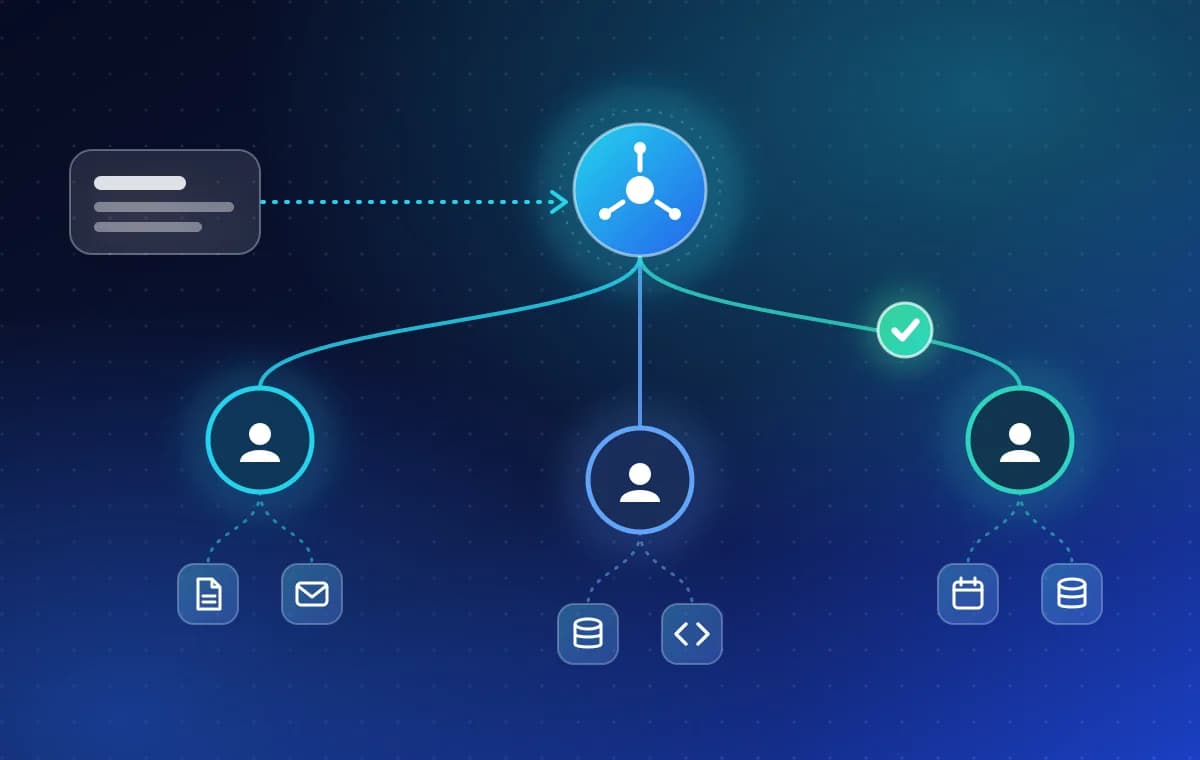
A chatbot talks; an AI agent acts. A chatbot answers questions in a conversation. An AI agent reads your data, decides the next step, uses your systems through tools, and can finish a task such as booking an appointment or filing a document, with a person approving the steps that matter.
What is an AI agent?
An AI agent is software built around a language model that can work toward a goal on its own. You give it a task, not a script. It looks at what it has been given, decides what to do first, does it, checks the result and carries on until the task is done or it needs help.
What makes it an agent rather than a chat window is that it can do things. It is connected to the systems your business already runs, such as a calendar, a customer database, an accounting tool or a ticketing system, and it can read from them and, where you allow it, write to them.
- Sees: reads the request and the data around it.
- Decides: chooses the next step instead of following a fixed script.
- Acts: calls tools to look something up, create a record or send a message.
- Asks: stops for a person when a step is risky or unclear.
How is an AI agent different from a chatbot?
The short version is the job each one does. A chatbot is built to answer. An agent is built to finish. The table shows where that difference shows up in practice.
| Chatbot | AI agent | |
|---|---|---|
| Main job | Answers questions | Completes tasks |
| Connection to your systems | Often none, or read-only | Through tools: APIs, databases, MCP servers |
| Multi-step work | Rarely | Plans the steps and checks each result |
| Human approval | Not usually needed | Built in for any step that changes data |
| What a failure looks like | A wrong or unhelpful answer | A wrong action, so guardrails matter more |
| Good fit | FAQs, simple support, lead capture | Booking, document handling, back-office workflows |
What are tools and MCP, and why do they matter?
A tool is a function the agent is allowed to call: "find this customer", "create an invoice", "check the calendar". The agent does not get free access to your systems. It gets a short list of tools, each with its own limits.
Model Context Protocol (MCP) is an open standard for connecting AI applications to tools and data sources. Think of it as a common plug: once a system exposes an MCP server, any agent that speaks MCP can use it, instead of every integration being built from scratch.
This is also where safety starts. The fewer tools an agent has, and the narrower each one is, the less it can get wrong.
What is a multi-agent system?
Some jobs are too wide for one agent. In a multi-agent system, a supervisor agent plans the work and routes each part to a specialist: one reads documents, one talks to the customer, one writes to the accounting system. The supervisor collects the results and decides whether the task is finished.
Anthropic draws a useful line in its guide Building effective agents: workflows follow predefined code paths, while agents direct their own process and tool use. Its advice is to start with the simplest option that works. We agree. Many jobs are better served by a fixed workflow with one model step inside it, and an agent is worth the extra care only when the path cannot be known in advance.
How do you keep an AI agent safe?
An agent that can act can also act wrongly, so safety is part of the design, not a final check. These are the controls we put around an agent before it touches real data:
- Human approval for any step that creates, changes or deletes something important.
- Scoped tool permissions, so the agent can only do what its job needs.
- Audit logs that record every action the agent took and why.
- Evaluation before launch, using realistic test cases, and step-level tracing afterwards.
- Cost and latency monitoring, so a loop that runs away is caught early.
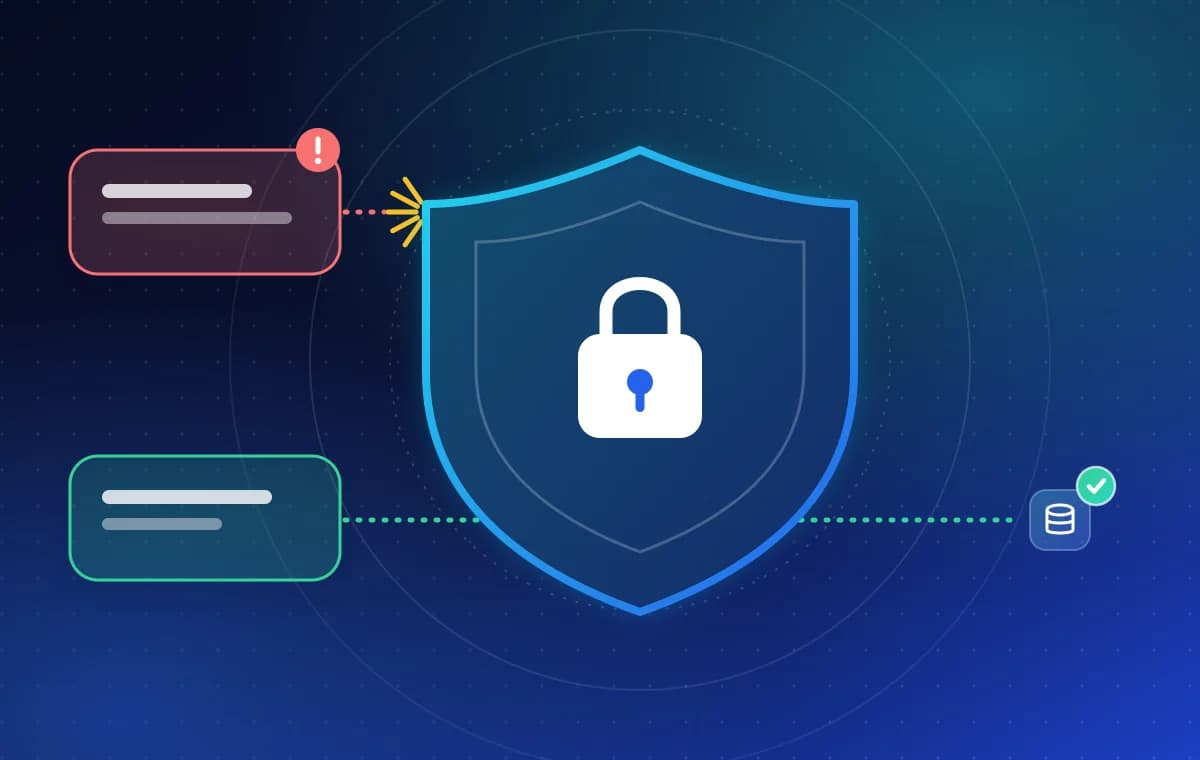
- Defence against hostile input. Text from emails, web pages or documents can try to give the agent new orders. We cover this in What is prompt injection, and how do you protect an LLM app?
When is a chatbot enough?
If people mostly ask the same questions and the answers already exist in your help pages, a chatbot, or even a good search box, is cheaper and easier to run. An agent earns its place when the work behind the question is the expensive part: checking three systems, filling a form, booking a slot, chasing a missing document.
A quick test: if a person could answer the question without opening any other system, start with a chatbot. If they would need to look something up and then do something, you are describing an agent.
What kinds of agents has our team built?
LAR Technology builds agents that work inside existing systems. The combined experience of our engineers, including projects delivered before they joined the company, covers:
- Customer-care and appointment-booking agents for nail salons and clinics across Zalo, Messenger and a website, with automated reminders.
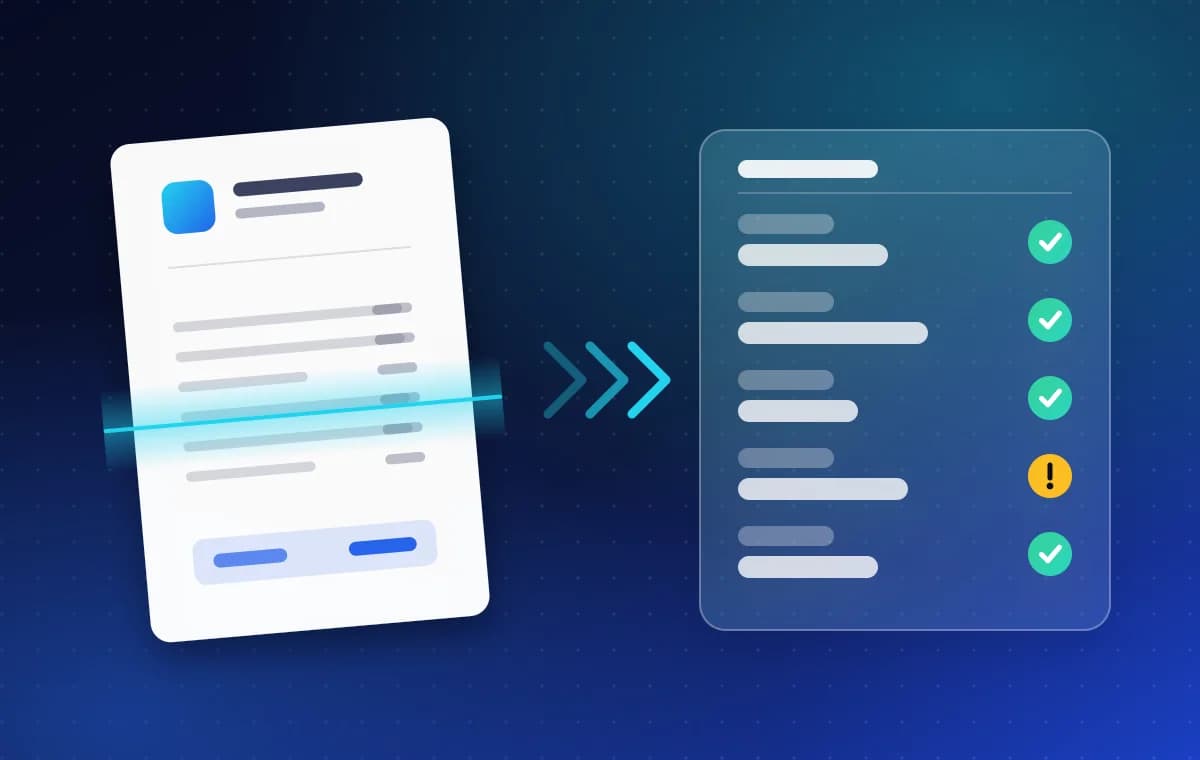
- Document agents that pair OCR with language-model reasoning to validate data and push it into ERP and accounting systems. See How does document AI turn invoices into data your ERP can use?
- Knowledge agents over internal documents using RAG, CAG and GraphRAG, answering with citations.
- Email bots in Vietnamese and Japanese that classify messages, extract information and draft replies.
- Supervisor-led multi-agent workflows connected through MCP, REST APIs and databases.
Questions about AI agents
- Is an AI agent just a smarter chatbot?
- No. A chatbot is built to hold a conversation. An agent is built to complete a task, which means it uses tools to read and change data in your systems. The conversation is only one way to give it the task.
- Can an AI agent act without a person approving it?
- It can, but it should not for steps that matter. We build agents so that anything that creates, changes or deletes important data waits for a person to approve it. Low-risk steps, such as looking something up, can run automatically.
- What is MCP?
- Model Context Protocol is an open standard for connecting AI applications to tools and data. It lets an agent use a system through one shared interface instead of a custom integration for each one.
- How long does it take to build an AI agent?
- It depends on the systems it must connect to and the approvals it needs, so we agree scope, approach and timeline with you before any commitment. Send a short description of the task through the contact form and we will reply.
Quellen und weiterführende Links
- Building effective agents · Anthropic
- What is the Model Context Protocol? · modelcontextprotocol.io
- LLM06: Excessive Agency · OWASP GenAI Security Project
Ähnliche Artikel
What is prompt injection, and how do you protect an LLM app?
Prompt injection tricks an AI app into following hostile instructions hidden in its input. Learn how it works and the layered defences that limit the damage.
6 Min. Lesezeit
How does document AI turn invoices into data your ERP can use?
Document AI reads an invoice, extracts supplier, dates and totals, checks them against your rules and sends clean data to your ERP. Here is how it works.
6 Min. Lesezeit